
Choosing a budgeting app can feel a little like choosing a gym membership. There are dozens of options, they all promise transformation, and most people end up abandoning whichever one they pick within a few weeks. The difference between an app that sticks and one that gets deleted usually comes down to fit, not features.
This guide walks through the main categories of budgeting apps available in 2026, what kind of person each style suits best, and how to actually choose one you will keep using rather than one that simply looks impressive during the free trial.
Why the “Best” App Depends on You, Not the App
Before comparing specific tools, it is worth acknowledging an uncomfortable truth: there is no single best budgeting app for everyone. The right choice depends heavily on how hands-on you want to be, whether you prefer automation or manual control, and what kind of budgeting method you plan to follow.
Someone who wants to assign every dollar a job through zero-based budgeting needs different features than someone who simply wants a clear picture of their spending trends without much manual input. Keep your own habits in mind as you read through the categories below.
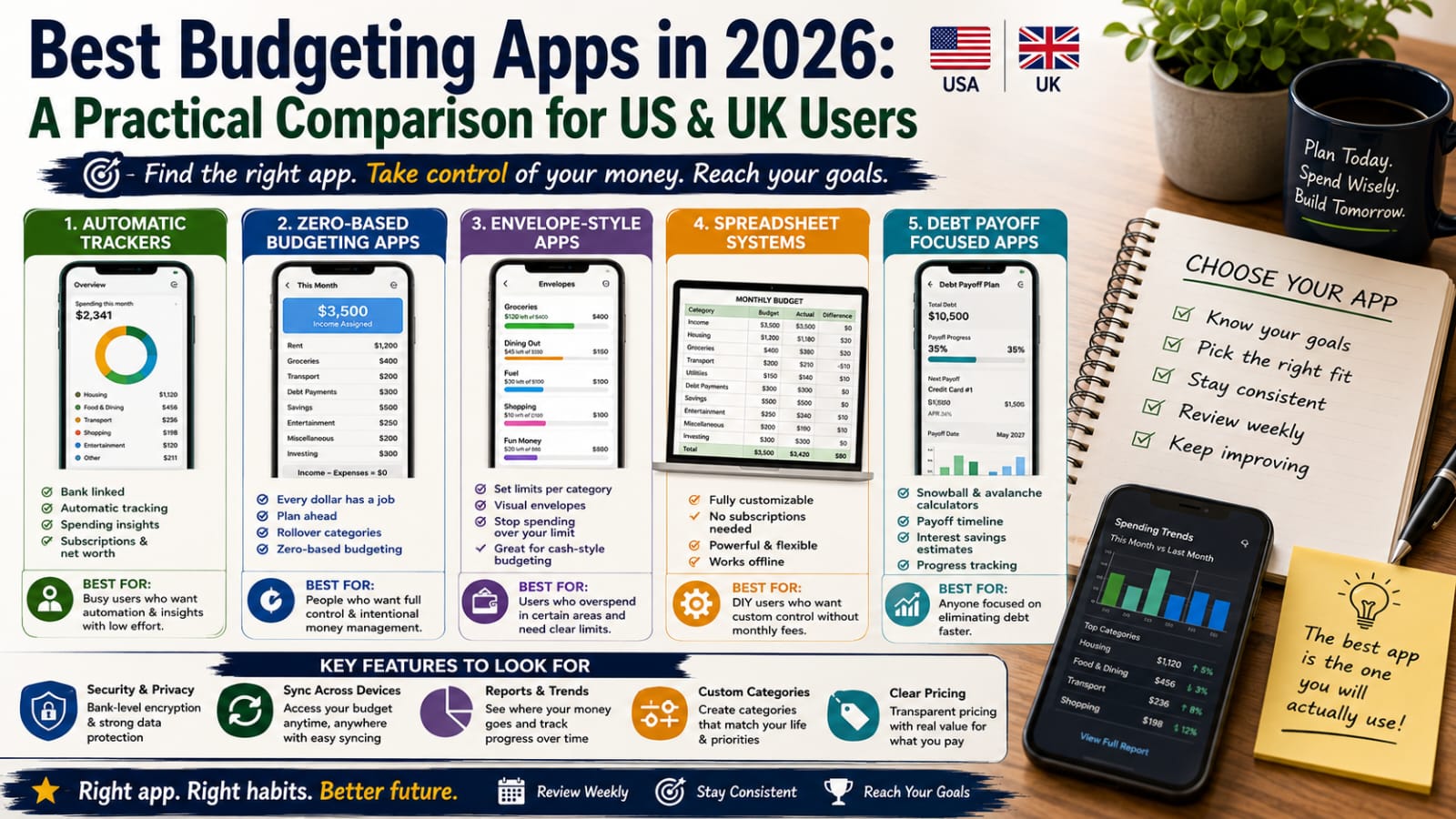
Category 1: Full Bank-Linked Automatic Trackers
These apps connect directly to your bank accounts and credit cards, automatically pulling in transactions and sorting them into categories using built-in rules and machine learning.
Best for: People who want a clear picture of spending without manually entering every transaction, and who are comfortable linking their financial accounts to a third-party service.
Strengths: Extremely low effort once set up. Automatic categorization means you spend minutes, not hours, each week reviewing your finances. Many offer spending trend graphs, subscription tracking, and net worth tracking across multiple accounts in one place.
Watch out for: Categorization is not always perfect, and some manual correction is usually needed, especially in the first month or two. There can also be a learning curve in customizing categories to match your specific budgeting method.
Category 2: Zero-Based Budgeting Apps
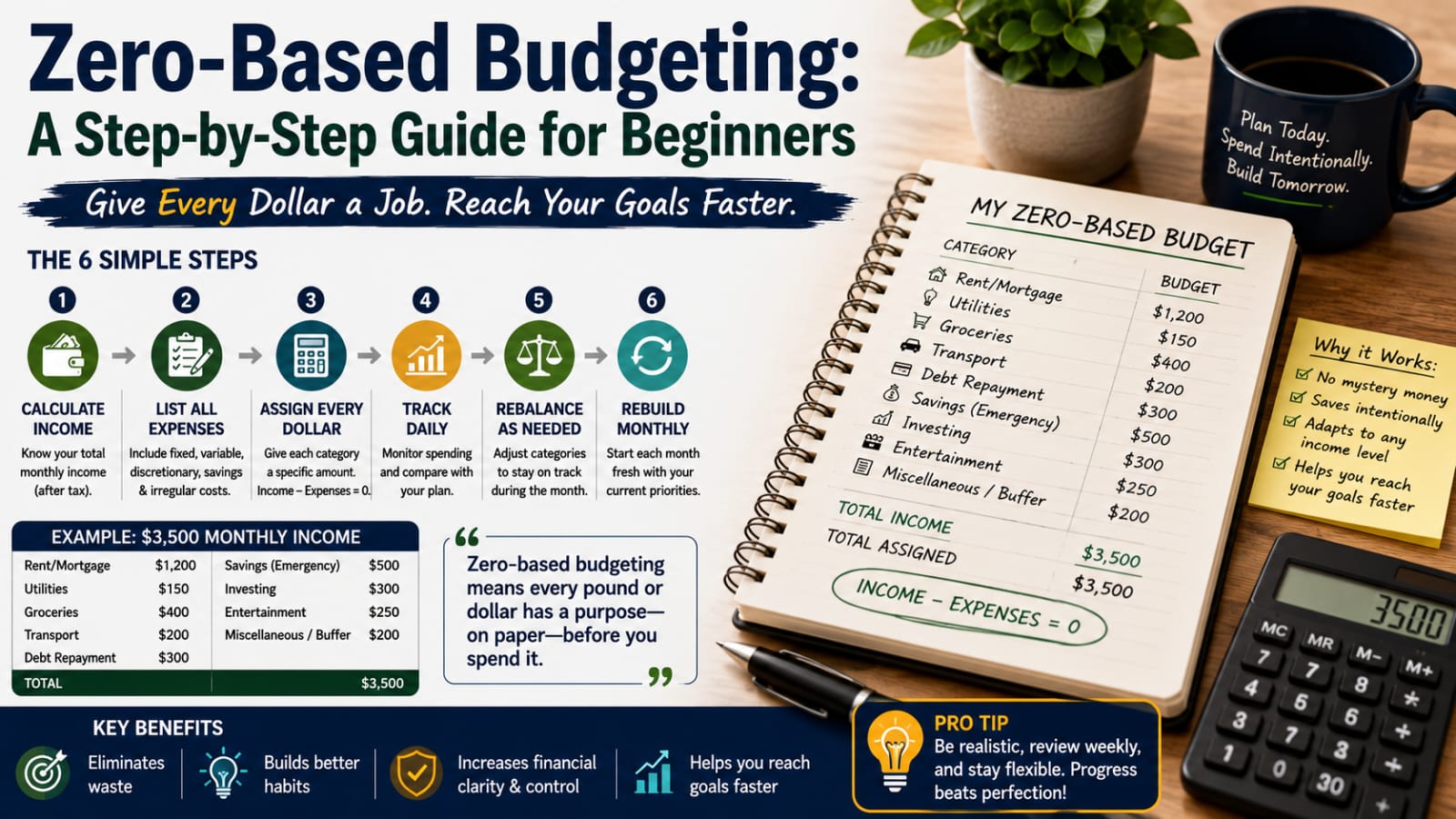
These apps are built specifically around assigning every dollar of income a job before it is spent, following the zero-based budgeting philosophy explained in detail elsewhere on this site.
Best for: People who want maximum control and intentionality over every category of spending, and who do not mind a slightly steeper learning curve in exchange for precision.
Strengths: Extremely effective at eliminating “mystery spending” since every category is planned in advance. Many include rollover features, where unused money in one category carries over to the next month rather than resetting to zero.
Watch out for: These apps typically require more manual setup and ongoing attention than automatic trackers. They work best for people who are genuinely willing to engage with their budget regularly, rather than those looking for a completely hands-off solution.
Category 3: Simple Envelope-Style Apps
These apps replicate the classic envelope budgeting system digitally, allocating a fixed amount to each spending category and tracking how much remains in each “envelope” throughout the month.
Best for: People who tend to overspend in specific categories, like dining out or shopping, and want a hard visual limit rather than a general overview.
Strengths: The visual, simple nature of seeing an envelope’s balance shrink as you spend creates an intuitive sense of restraint that some people find more effective than abstract numbers on a spreadsheet.
Watch out for: These apps can feel restrictive for people with more variable spending patterns, and irregular expenses need careful separate planning since they do not fit neatly into a single monthly envelope.
Category 4: Spreadsheet-Based Systems
Not everyone wants an app at all, and a well-built spreadsheet template remains a genuinely effective option in 2026, particularly for people who want full customization without any subscription cost.
Best for: People who are comfortable with basic spreadsheet functions and want complete control over categories, formulas, and layout without relying on a third-party company’s software.
Strengths: Free or low-cost, fully customizable, and does not require linking sensitive financial account information to any external service. Many free templates are widely available covering the 50/30/20 method, zero-based budgeting, and debt payoff tracking.
Watch out for: Requires manual data entry, which takes more time each week than automated apps, and can become tedious for people who do not naturally enjoy detail-oriented tasks.
Category 5: Debt Payoff Focused Apps
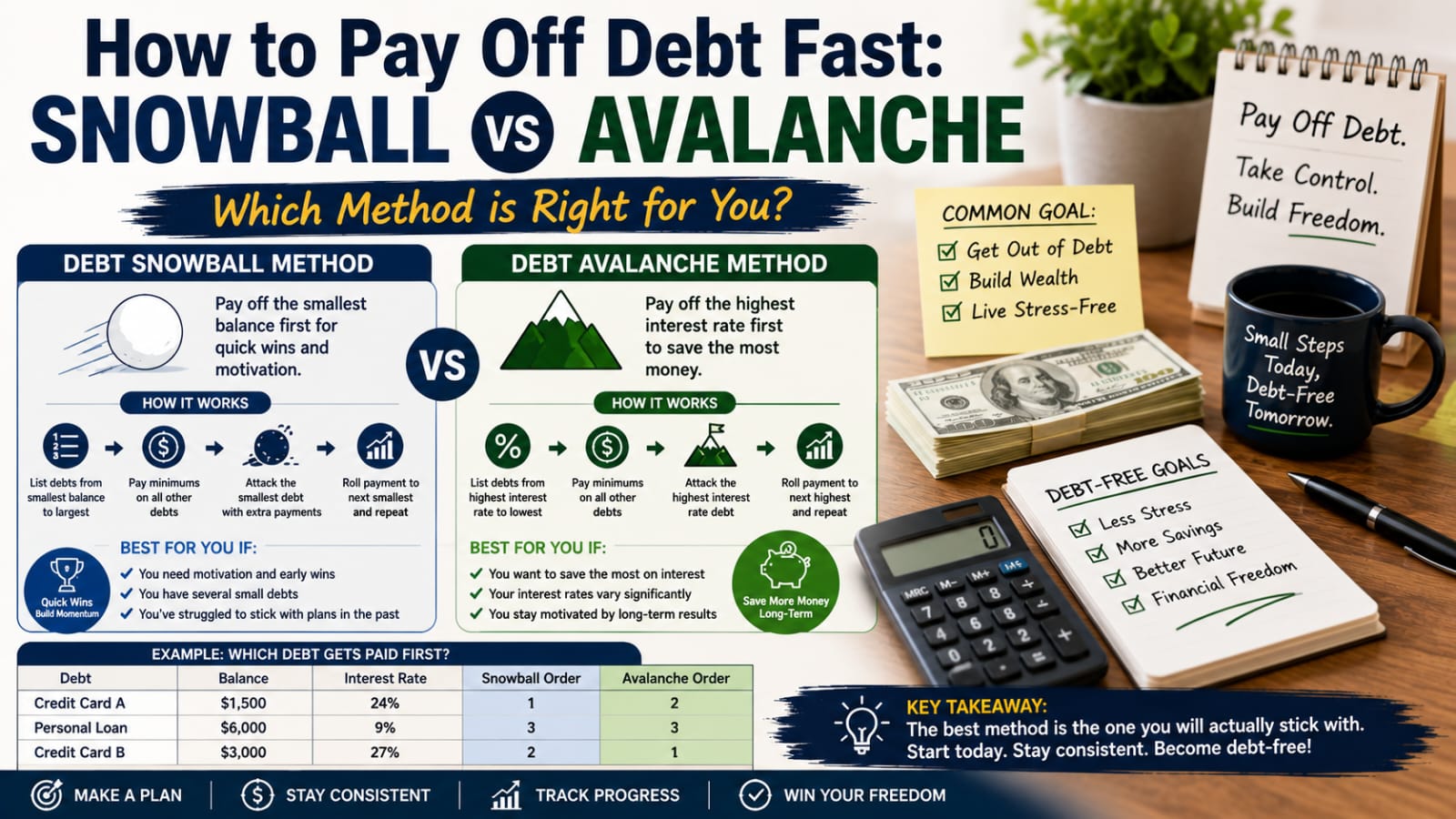
Some apps are built specifically around accelerating debt payoff, incorporating snowball and avalanche method calculators, progress tracking, and payoff date projections.
Best for: Anyone actively focused on eliminating credit card, personal loan, or other consumer debt, who wants clear visibility into their payoff timeline and motivation through visible progress tracking.
Strengths: Purpose-built payoff calculators show exactly how extra payments affect your total payoff timeline and interest saved, which can be genuinely motivating to see in real numbers rather than the abstract.
Watch out for: These apps are often less useful once debt is fully paid off, so you may need to switch to a broader budgeting tool afterward for ongoing money management.
Key Features Worth Prioritizing in 2026
Regardless of which category appeals to you most, a few features are worth looking for across the board:
Security and data protection. Any app connecting to your bank accounts should use bank-level encryption and clear privacy policies. Take time to review how your data is stored and whether it is ever sold to third parties.
Cross-platform syncing. If you use both a phone and a computer, or share finances with a partner, look for apps that sync seamlessly across devices and allow shared access where needed.
Clear reporting and trends. Beyond just tracking individual transactions, useful apps show spending trends over time, helping identify patterns like gradually increasing dining-out costs before they become a real problem.
Customizable categories. Default categories rarely match anyone’s life perfectly. The ability to create, rename, and reorganize categories to fit your actual spending patterns makes a big difference in long-term usability.
Reasonable pricing transparency. Many budgeting apps use a freemium model with a paid tier for advanced features. Make sure you understand exactly what you are paying for and whether the free version genuinely covers your needs before committing to a subscription.
Questions to Ask Before Choosing an App
Do I want full automation, or do I actually want to manually enter transactions for better awareness?
Am I comfortable linking my bank accounts directly to a third-party app?
Do I need this to work for a shared household budget, or just for myself?
Is my income steady, or does it vary significantly month to month?
Am I currently focused primarily on debt payoff, saving, or general spending awareness?
Answering these honestly narrows the field considerably and prevents the common trap of downloading five different apps and using none of them consistently.
How to Actually Stick With Whichever App You Choose
Start with a short trial period mindset. Commit to using any new app consistently for at least three to four weeks before judging whether it fits your habits, since the first week or two often involves setup friction that smooths out over time.
Set a recurring reminder to review it. Even the best app will not help if you never open it. A short weekly review, ten minutes on a Sunday evening for example, keeps you engaged without requiring daily attention.
Do not switch apps too quickly. It is tempting to abandon an app after a frustrating week and try something new, but frequent switching often means never building the habit of consistent tracking in the first place. Give any reasonable choice a genuine chance before moving on.
Combine app tracking with a clear budgeting method. An app is a tool, not a strategy. Pairing it with a clear approach, whether that is 50/30/20, zero-based budgeting, or an envelope system, gives the data the app provides an actual purpose.
Final Thoughts
The best budgeting app in 2026 is not necessarily the most feature-rich or the most talked-about one. It is the one that matches how you naturally think about money, requires an amount of manual effort you are actually willing to sustain, and gives you visibility into the specific things that matter most for your financial goals, whether that is debt payoff, saving, or simply understanding where your money goes each month.
Take the time to identify your own habits and preferences honestly before choosing, and give whatever you pick a genuine few weeks before deciding whether it is the right long-term fit.
Frequently Asked Questions
Are budgeting apps safe to link to my bank account? Reputable budgeting apps use bank-level encryption and read-only access, meaning they can view transactions but cannot move money. Always review an app’s security practices and privacy policy before linking accounts.
Do I need a paid budgeting app, or is a free one enough? Many free apps and spreadsheet templates are genuinely sufficient for most people’s needs. Paid tiers typically add features like advanced reporting, bill negotiation services, or multiple account syncing, which may or may not be necessary depending on your situation.
Can budgeting apps work for shared household finances? Yes, many apps now include shared access features specifically designed for couples or households managing a joint budget, though it is worth checking this specifically before choosing, since not all apps handle shared budgets equally well.
What is the easiest type of budgeting app for a complete beginner? A simple bank-linked automatic tracker with broad, pre-set categories is usually the easiest starting point, since it requires minimal manual setup and provides an immediate overview of spending patterns.
Best Budgeting Apps in 2026: A Practical Comparison for US and UK Users

Leave a Reply